


Anker
Anker Nano Docking Station (13-in-1, Triple Display, Built-In Removable Hub)
Anker Nano Docking Station (13-in-1, Triple Display, Built-In Removable Hub)
Couldn't load pickup availability
- 13-in-1 Dock with Removable Hub: Switch effortlessly between full desktop setups and mobile work with a 13-in-1 dock for every connection plus a detachable 6-in-1 hub for quick, on-the-go access.
- Flexible Display Options with Main Dock and Removable Hub: Set up a triple-screen workstation with the dock or connect one display through the hub when working away from your desk. (Note: On macOS, all external monitors mirror the same content. Only the HDMI or DisplayPort supports video output. The USB-C does not support video output.)
- All the Connections You Need: Features a USB-C upstream port, two USB-C data ports, three USB-A data ports, dual HDMI and DisplayPort outputs supporting up to 4K resolution, an Ethernet port, audio jack, SD and TF card slots, and a DC input port. The detachable hub adds essential ports for convenient access on the go.
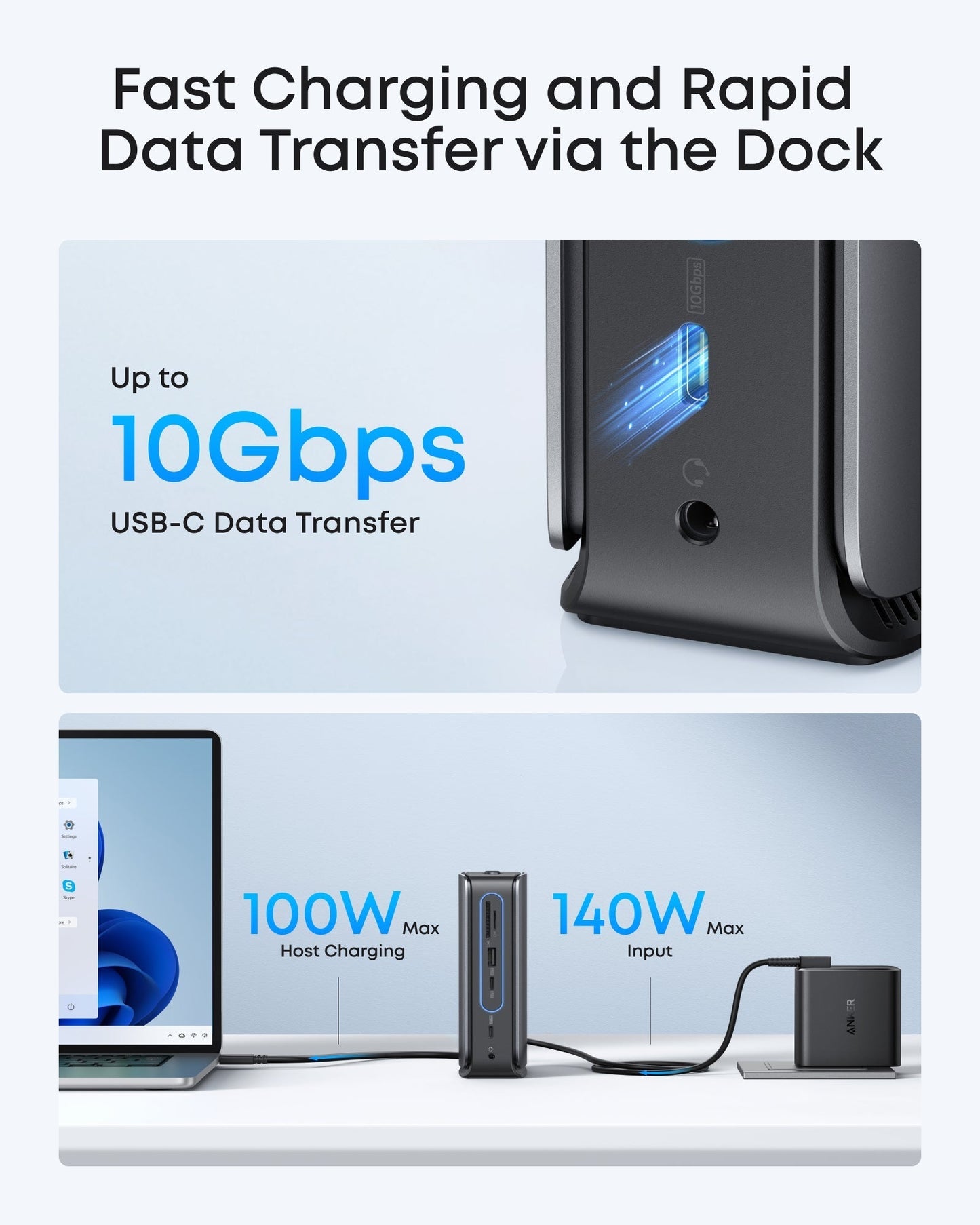
- Fast Power Delivery and Data Transfer: Deliver up to 100W to your laptop while transferring data at speeds up to 10 Gbps via USB-C. The dock supports up to 140W max input from the included power adapter to maintain stable power for all connected devices.
- What You Get: Anker Nano Docking Station (13-in-1, Triple Display, Built-In Removable Hub), 3 ft USB-C to USB-C cable for the upstream port (10 Gbps), a 140W power adapter with a built-in 5 ft power cord, and safety sheet with QR code for the user manual, hassle-free warranty, and our friendly customer service.
Share


Fantastic dock. I am using it with a Lenovo ThinkPad T14 Gen 5 running Kubuntu Linux 26.04 LTS (A recent build of Ubuntu with KDE Plasma Desktop on Wayland)--and everything works well: ethernet, audio, displays, charging, USB-C passthrough, etc.I have both a large DisplayPort and a large HDMI monitor attached simultaneously--and this works perfectly with the KDE integrated screen management--for mirroring and extending, and for enabling, disabling, and controlling brightness of individual monitors.I have not tested a third external HDMI monitor simultaneously (there is still an open port on the dock), but I suspect that it would work as well. (I did test with two simultaneous USB-C connected monitors plugged into the laptop itself--5 monitors in all, and that worked fine.)The USB-C on the dock does support high-speed transfer from a fast external M.2 drive in an enclosure--though under heavy transfer load I have experienced random dismounts of the M.2 drive--not surprising, as that is true of many / most USB hubs as well.When shopping for docks it was disappointing seeing most say they only support Windows or Mac OS...and that they do not support Linux. Well, this one definitely supports Linux seamlessly...even if the manufacturer does not officially provide "support" for Linux.With this dock a single USB-C cable is all you need--even in Linux--for power, external displays, audio, ethernet, and more.
Great product. Very good quality and delivery was super quick.
This is a great consolidator .. really help organize my cables. Bought a second for my son. Highly recommend it. Plug n Play.. get some cable ties if you want to take things to next level
Typical Anker product is very good. Although I cannot get one of the video ports to work. I am still happy overall.
Cette station d'accueil est surprenante. En général, elle fait le travaille mais j'ai 2 difficultés: 1 elle ne permet pas de faire fonctionner mon clavier filaire/USB que je dois encore connecter sur le portable au lieu de la station; 2. je ne peux pas accéder au contenu de mon cellulaire lorsque je le branche sur la prise USB de la station; je dois transférer le contenu via un autre ordinateur. Donc un peu déçu mais le produit est quand même passablement moins onéreux que d'autre station d'accueil.
Fantastic dock. I am using it with a Lenovo ThinkPad T14 Gen 5 running Kubuntu Linux 26.04 LTS (A recent build of Ubuntu with KDE Plasma Desktop on Wayland)--and everything works well: ethernet, audio, displays, charging, USB-C passthrough, etc.I have both a large DisplayPort and a large HDMI monitor attached simultaneously--and this works perfectly with the KDE integrated screen management--for mirroring and extending, and for enabling, disabling, and controlling brightness of individual monitors.I have not tested a third external HDMI monitor simultaneously (there is still an open port on the dock), but I suspect that it would work as well. (I did test with two simultaneous USB-C connected monitors plugged into the laptop itself--5 monitors in all, and that worked fine.)The USB-C on the dock does support high-speed transfer from a fast external M.2 drive in an enclosure--though under heavy transfer load I have experienced random dismounts of the M.2 drive--not surprising, as that is true of many / most USB hubs as well.When shopping for docks it was disappointing seeing most say they only support Windows or Mac OS...and that they do not support Linux. Well, this one definitely supports Linux seamlessly...even if the manufacturer does not officially provide "support" for Linux.With this dock a single USB-C cable is all you need--even in Linux--for power, external displays, audio, ethernet, and more.
Great product. Very good quality and delivery was super quick.
This is a great consolidator .. really help organize my cables. Bought a second for my son. Highly recommend it. Plug n Play.. get some cable ties if you want to take things to next level
Typical Anker product is very good. Although I cannot get one of the video ports to work. I am still happy overall.
Cette station d'accueil est surprenante. En général, elle fait le travaille mais j'ai 2 difficultés: 1 elle ne permet pas de faire fonctionner mon clavier filaire/USB que je dois encore connecter sur le portable au lieu de la station; 2. je ne peux pas accéder au contenu de mon cellulaire lorsque je le branche sur la prise USB de la station; je dois transférer le contenu via un autre ordinateur. Donc un peu déçu mais le produit est quand même passablement moins onéreux que d'autre station d'accueil.
Fantastic dock. I am using it with a Lenovo ThinkPad T14 Gen 5 running Kubuntu Linux 26.04 LTS (A recent build of Ubuntu with KDE Plasma Desktop on Wayland)--and everything works well: ethernet, audio, displays, charging, USB-C passthrough, etc.I have both a large DisplayPort and a large HDMI monitor attached simultaneously--and this works perfectly with the KDE integrated screen management--for mirroring and extending, and for enabling, disabling, and controlling brightness of individual monitors.I have not tested a third external HDMI monitor simultaneously (there is still an open port on the dock), but I suspect that it would work as well. (I did test with two simultaneous USB-C connected monitors plugged into the laptop itself--5 monitors in all, and that worked fine.)The USB-C on the dock does support high-speed transfer from a fast external M.2 drive in an enclosure--though under heavy transfer load I have experienced random dismounts of the M.2 drive--not surprising, as that is true of many / most USB hubs as well.When shopping for docks it was disappointing seeing most say they only support Windows or Mac OS...and that they do not support Linux. Well, this one definitely supports Linux seamlessly...even if the manufacturer does not officially provide "support" for Linux.With this dock a single USB-C cable is all you need--even in Linux--for power, external displays, audio, ethernet, and more.
Great product. Very good quality and delivery was super quick.
This is a great consolidator .. really help organize my cables. Bought a second for my son. Highly recommend it. Plug n Play.. get some cable ties if you want to take things to next level
Typical Anker product is very good. Although I cannot get one of the video ports to work. I am still happy overall.
Cette station d'accueil est surprenante. En général, elle fait le travaille mais j'ai 2 difficultés: 1 elle ne permet pas de faire fonctionner mon clavier filaire/USB que je dois encore connecter sur le portable au lieu de la station; 2. je ne peux pas accéder au contenu de mon cellulaire lorsque je le branche sur la prise USB de la station; je dois transférer le contenu via un autre ordinateur. Donc un peu déçu mais le produit est quand même passablement moins onéreux que d'autre station d'accueil.