


Anker
Anker Prime Docking Station (14-in-1, Triple Display, DisplayLink) with DL7400
Anker Prime Docking Station (14-in-1, Triple Display, DisplayLink) with DL7400
Couldn't load pickup availability
- 14 Powerful Connections: Designed for modern setups, featuring a 140W 10Gbps USB-C upstream port, two 100W 10Gbps USB-C ports, one 100W 5Gbps USB-C port, two HDMI ports, one DisplayPort, two 5Gbps USB-A ports, one 480Mbps USB-A port, a 2.5Gbps Ethernet port, a headphone and mic combo jack, plus SD and TF card slots for complete desktop connectivity.
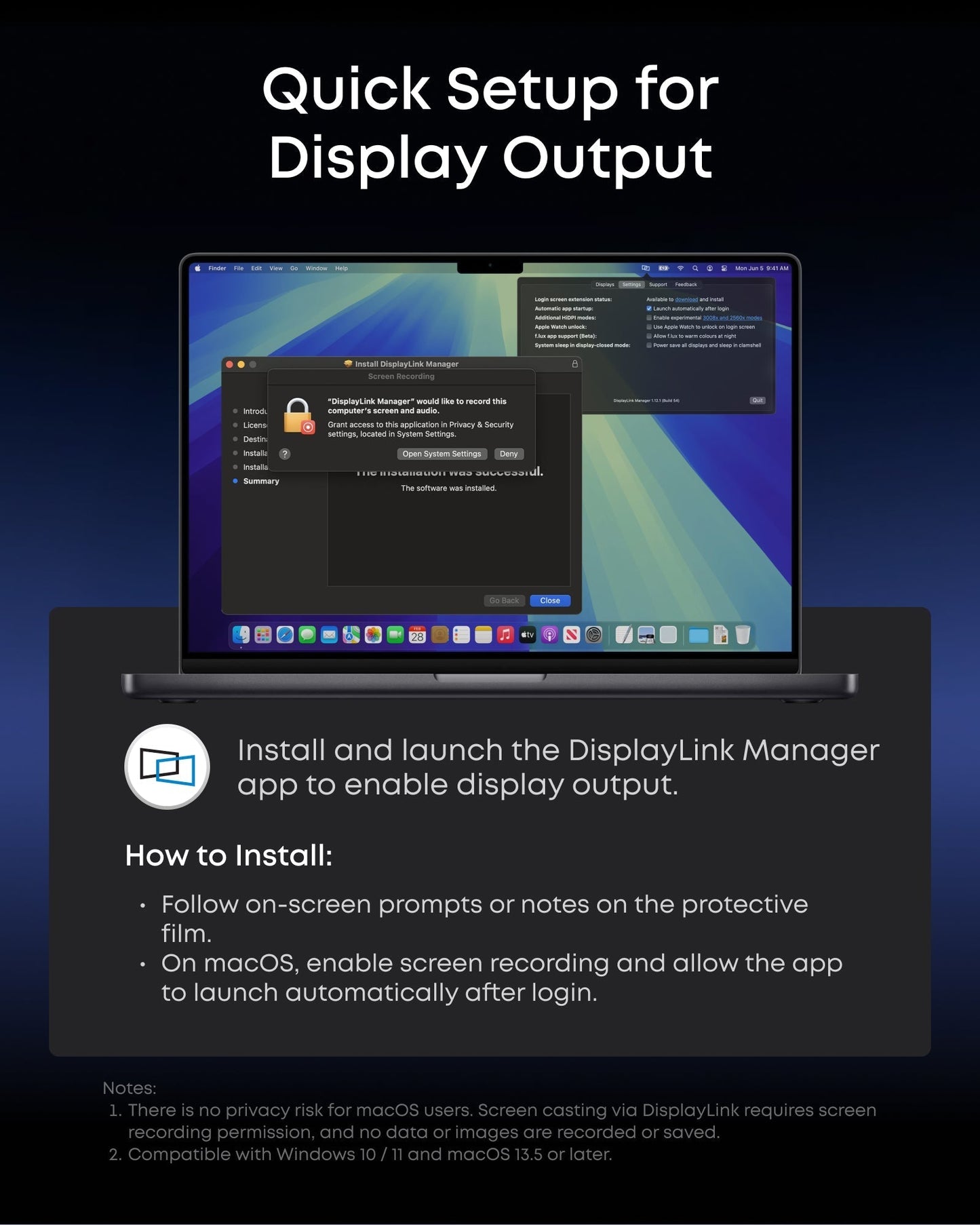
- One 8K Output, Triple Display Versatility: Power up three external monitors at once, including one in 8K, for ultra-efficient multitasking. Compatible with both macOS and Windows setups. (Note: Only monitors that support 8K resolution can display in 8K. DisplayLink driver required.)
- Each Port Powers and Performs: Every USB-C port supports both charging and data transfer. Power your laptop with up to 140W via the upstream port, while each front USB-C port delivers 100W of high-speed charging. (Note: The front USB-C ports do not support media display.)
- Always Cool, Always in Control: View real-time updates on charging power, display performance, fan cooling mode, and settings directly from the smart display. The built-in fan and ActiveShield 3.0 help keep your device running cool and stable.
- What You Get: Anker Prime Docking Station (14-in-1, Triple Display, DisplayLink), USB-C to USB-C 3.2 Gen 2 cable for upstream port (3.3 ft, 10 Gbps), 6ft AC power cord, safety sheet with user manual QR code , 24-month warranty, and our friendly customer service.
Share


would be nice to have more USB ports on the back for the price
Let me start by saying that I really can't stand DisplayLink. Even though the added latency is usually pretty low, you can still feel it. Anker nailed it with this one; whatever they did with the hardware or whatever combo they used, the latency feels like using a driverless Thunderbolt dock. Just remember, since it relies on a display driver, it’s not as plug-and-play as other docks, so if you have several devices, setting them up can get a bit annoying sometimes.Putting the display driver setup aside, this dock is a powerhouse. It has all the Type A ports I could ask for, 2.5 gig Ethernet, a solid mix of display outputs, and a high-wattage upstream connection for hooking up any device along with high-power charging/data outputs in the front.It really helps keep my desk tidy since it has everything I need, especially the charging ports.However, I have to take away one star. With it being the dock I use daily, I’ve noticed it occasionally drops the connection when waking a device from sleep. I can easily fix it by unplugging and replugging the dock, but I’ve also used a non-Thunderbolt Lenovo dock that never drops. It’s a minor issue, but it shouldn’t happen. I get that it’s tough to guarantee 100% performance, especially outside of Thunderbolt standards, but it’s still a problem. The good news is that it works perfectly with my USB4-based AMD laptop, so I’m still really happy with it.
This Anker Prime Docking Station (DL7400) has a very sleek design. It just looks good on a desk and I really like the display and the navigation wheel. I do not own 8K monitors (only 4K) and am not a power user so this docking station is pretty much an overkill for me. Set up took a little while and I did not like having to install the DisplayLink driver but it was clearly stated that the driver was necessary in almost every part of the listing so it was not a surprise. I mainly use my computer (MB Pro) for productivity. I don’t game or stream media on it so I did not encounter many limitations. I had a couple of issues with the docking station freezing my system when trying to eject an external SSD.I found the locations of the ports to be quite good. I’ve had other docking stations that made me question the people who designed them in the past but it was not the case here. I also like that the power supply is integrated into the docking station and not a separate part. Not only does it make the docking station more hefty and therefore more stable on a desk but it also makes cable management easier.This docking station is for very specific users who only to certain types of tasks on their computer and need access to more than two screens. I find it to be quite expensive for what it is.
This is the best computer docking system I have had.
The Anker PowerExpand Elite DL7400 powers my ultimate 5-screen Mac setup flawlessly: a 34” ultrawide at 3440x1440 for main workspace, two 27” monitors for references and tools, the MacBook screen for quick checks, and iPad Pro via Sidecar for notes—all running smooth at high refresh rates with zero lag, flicker, or dropped frames across both MacBook Pro and Air.No compression artifacts or stuttering during heavy multitasking like code editing, virtual machines, and browser tabs. The 3 USB-C ports completely replaced my old charging station—they deliver fast 100W PD to keep laptops topped off during 10+ hour sessions while powering hubs, external drives, and accessories without a single dropout.Its compact aluminum design makes my desk clean and modern. Perfect macOS dock—game-changer for productivity.
would be nice to have more USB ports on the back for the price
Let me start by saying that I really can't stand DisplayLink. Even though the added latency is usually pretty low, you can still feel it. Anker nailed it with this one; whatever they did with the hardware or whatever combo they used, the latency feels like using a driverless Thunderbolt dock. Just remember, since it relies on a display driver, it’s not as plug-and-play as other docks, so if you have several devices, setting them up can get a bit annoying sometimes.Putting the display driver setup aside, this dock is a powerhouse. It has all the Type A ports I could ask for, 2.5 gig Ethernet, a solid mix of display outputs, and a high-wattage upstream connection for hooking up any device along with high-power charging/data outputs in the front.It really helps keep my desk tidy since it has everything I need, especially the charging ports.However, I have to take away one star. With it being the dock I use daily, I’ve noticed it occasionally drops the connection when waking a device from sleep. I can easily fix it by unplugging and replugging the dock, but I’ve also used a non-Thunderbolt Lenovo dock that never drops. It’s a minor issue, but it shouldn’t happen. I get that it’s tough to guarantee 100% performance, especially outside of Thunderbolt standards, but it’s still a problem. The good news is that it works perfectly with my USB4-based AMD laptop, so I’m still really happy with it.
This Anker Prime Docking Station (DL7400) has a very sleek design. It just looks good on a desk and I really like the display and the navigation wheel. I do not own 8K monitors (only 4K) and am not a power user so this docking station is pretty much an overkill for me. Set up took a little while and I did not like having to install the DisplayLink driver but it was clearly stated that the driver was necessary in almost every part of the listing so it was not a surprise. I mainly use my computer (MB Pro) for productivity. I don’t game or stream media on it so I did not encounter many limitations. I had a couple of issues with the docking station freezing my system when trying to eject an external SSD.I found the locations of the ports to be quite good. I’ve had other docking stations that made me question the people who designed them in the past but it was not the case here. I also like that the power supply is integrated into the docking station and not a separate part. Not only does it make the docking station more hefty and therefore more stable on a desk but it also makes cable management easier.This docking station is for very specific users who only to certain types of tasks on their computer and need access to more than two screens. I find it to be quite expensive for what it is.
This is the best computer docking system I have had.
The Anker PowerExpand Elite DL7400 powers my ultimate 5-screen Mac setup flawlessly: a 34” ultrawide at 3440x1440 for main workspace, two 27” monitors for references and tools, the MacBook screen for quick checks, and iPad Pro via Sidecar for notes—all running smooth at high refresh rates with zero lag, flicker, or dropped frames across both MacBook Pro and Air.No compression artifacts or stuttering during heavy multitasking like code editing, virtual machines, and browser tabs. The 3 USB-C ports completely replaced my old charging station—they deliver fast 100W PD to keep laptops topped off during 10+ hour sessions while powering hubs, external drives, and accessories without a single dropout.Its compact aluminum design makes my desk clean and modern. Perfect macOS dock—game-changer for productivity.
would be nice to have more USB ports on the back for the price
Let me start by saying that I really can't stand DisplayLink. Even though the added latency is usually pretty low, you can still feel it. Anker nailed it with this one; whatever they did with the hardware or whatever combo they used, the latency feels like using a driverless Thunderbolt dock. Just remember, since it relies on a display driver, it’s not as plug-and-play as other docks, so if you have several devices, setting them up can get a bit annoying sometimes.Putting the display driver setup aside, this dock is a powerhouse. It has all the Type A ports I could ask for, 2.5 gig Ethernet, a solid mix of display outputs, and a high-wattage upstream connection for hooking up any device along with high-power charging/data outputs in the front.It really helps keep my desk tidy since it has everything I need, especially the charging ports.However, I have to take away one star. With it being the dock I use daily, I’ve noticed it occasionally drops the connection when waking a device from sleep. I can easily fix it by unplugging and replugging the dock, but I’ve also used a non-Thunderbolt Lenovo dock that never drops. It’s a minor issue, but it shouldn’t happen. I get that it’s tough to guarantee 100% performance, especially outside of Thunderbolt standards, but it’s still a problem. The good news is that it works perfectly with my USB4-based AMD laptop, so I’m still really happy with it.
This Anker Prime Docking Station (DL7400) has a very sleek design. It just looks good on a desk and I really like the display and the navigation wheel. I do not own 8K monitors (only 4K) and am not a power user so this docking station is pretty much an overkill for me. Set up took a little while and I did not like having to install the DisplayLink driver but it was clearly stated that the driver was necessary in almost every part of the listing so it was not a surprise. I mainly use my computer (MB Pro) for productivity. I don’t game or stream media on it so I did not encounter many limitations. I had a couple of issues with the docking station freezing my system when trying to eject an external SSD.I found the locations of the ports to be quite good. I’ve had other docking stations that made me question the people who designed them in the past but it was not the case here. I also like that the power supply is integrated into the docking station and not a separate part. Not only does it make the docking station more hefty and therefore more stable on a desk but it also makes cable management easier.This docking station is for very specific users who only to certain types of tasks on their computer and need access to more than two screens. I find it to be quite expensive for what it is.
This is the best computer docking system I have had.
The Anker PowerExpand Elite DL7400 powers my ultimate 5-screen Mac setup flawlessly: a 34” ultrawide at 3440x1440 for main workspace, two 27” monitors for references and tools, the MacBook screen for quick checks, and iPad Pro via Sidecar for notes—all running smooth at high refresh rates with zero lag, flicker, or dropped frames across both MacBook Pro and Air.No compression artifacts or stuttering during heavy multitasking like code editing, virtual machines, and browser tabs. The 3 USB-C ports completely replaced my old charging station—they deliver fast 100W PD to keep laptops topped off during 10+ hour sessions while powering hubs, external drives, and accessories without a single dropout.Its compact aluminum design makes my desk clean and modern. Perfect macOS dock—game-changer for productivity.